macOS Native · Private Alpha
Exhibit management for the modern litigator.
LitArbi is a native macOS workspace to organize, number, and insert exhibits directly into Microsoft Word — built for litigation and international arbitration counsel.
You're on the list.
We'll email you the moment your alpha invitation is ready.
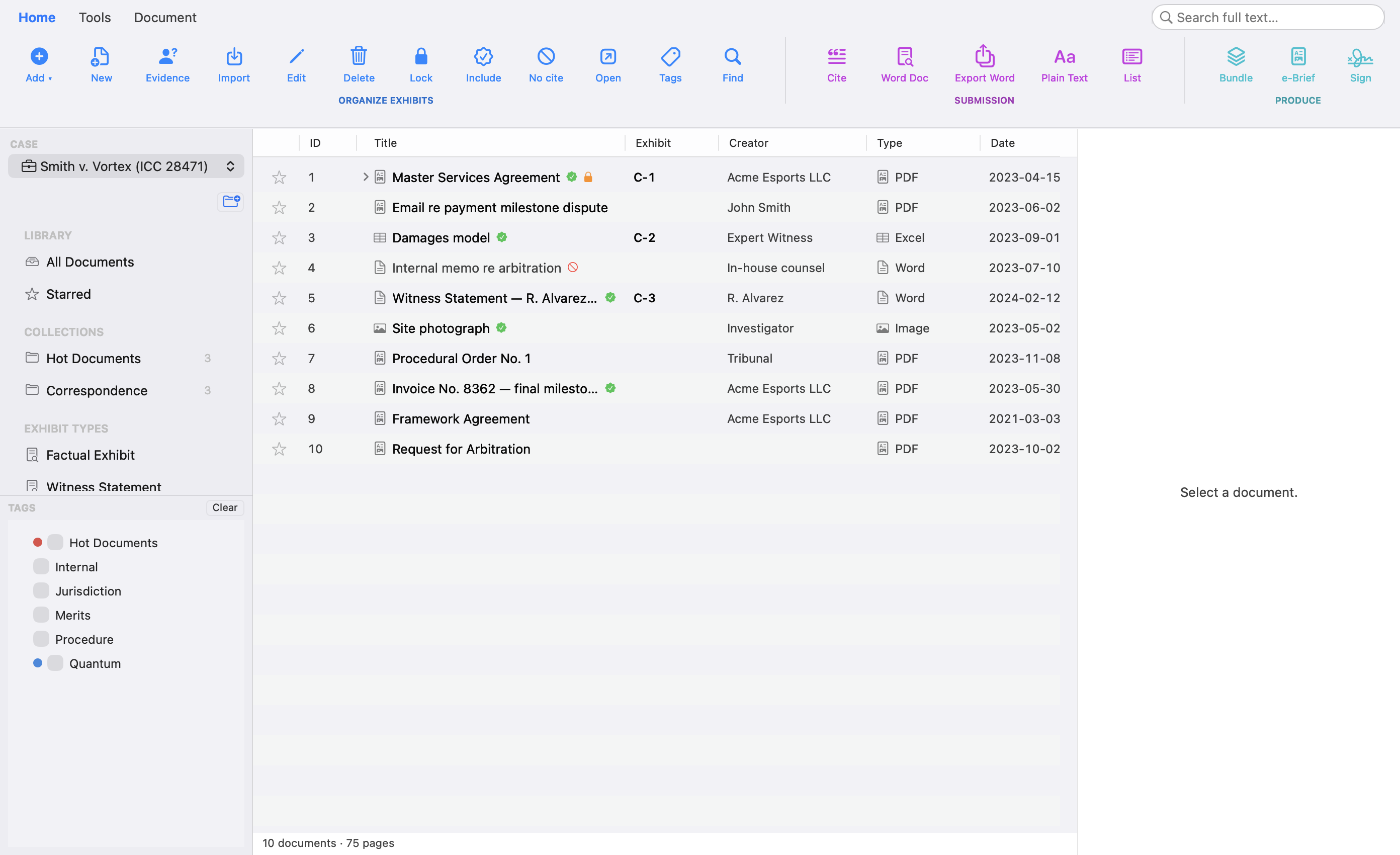
WHAT'S INSIDE
Everything you need to run an exhibit list — nothing you don't.
-
One-click MS Word insertion
Insert exhibit references directly into your brief without leaving Word. Numbering and cross-references stay in sync as you reorder.
-
Smart exhibit numbering
Apply C-, R-, or custom exhibit prefixes and Bates stamps in bulk. LitArbi handles the formatting so your filings stay consistent.
-
Case-centric library
Organize every PDF by case, party, and witness. Full-text search and metadata tags surface the right exhibit in seconds.
-
Built for litigation & arbitration
At home in both worlds: Anlage K 1 or Exhibit C-101 numbering, German-practice evidence offers (Beweisantritt), separate Claimant and Respondent series, hearing bundles and tribunal-ready exports.
-
Local-first & private
Your evidence stays on your Mac. No cloud upload required — keep attorney-client privilege intact, even on courtroom Wi-Fi.
-
Clickable, live citations
Every citation in Word is a link that opens the exhibit itself. Add a new exhibit in the middle of your brief and everything after it renumbers automatically — and the links survive bundling.
-
Cite submissions by paragraph
Pleadings, orders and awards are cited by page and paragraph — Statement of Claim ¶ 42 — long form first, short form after, for counsel and arbitrators alike. In Arbitrator mode LitArbi never renumbers — the parties’ exhibit numbers and types are adopted on import, and you can share the matter with your co-arbitrators.
-
Redaction & metadata protection
True redaction removes the text from the PDF — no black box a court can copy under. One-click Clean strips hidden metadata before anything leaves your desk.
-
Bundles & hyperlinked e-briefs
Produce stamped, paginated hearing bundles and hyperlinked e-briefs. Citations in your submission re-link to the bundled PDFs automatically.
-
Chronology & case people
Build the case chronology straight from your exhibits, and track witnesses, experts and counsel linked to the documents they appear in.
-
SharePoint connector
Sync exhibits and case files directly with your firm's SharePoint library. Versioning, permissions, and checkout status stay in sync.
-
Nextcloud connector
Connect your self-hosted Nextcloud instance for secure, on-premise exhibit storage and team collaboration without leaving LitArbi.
SEE IT WORK
From exhibit to footnote — without leaving Word.
Cite an exhibit and LitArbi numbers it. Add one above and every citation renumbers itself — automatically, live, in your document.
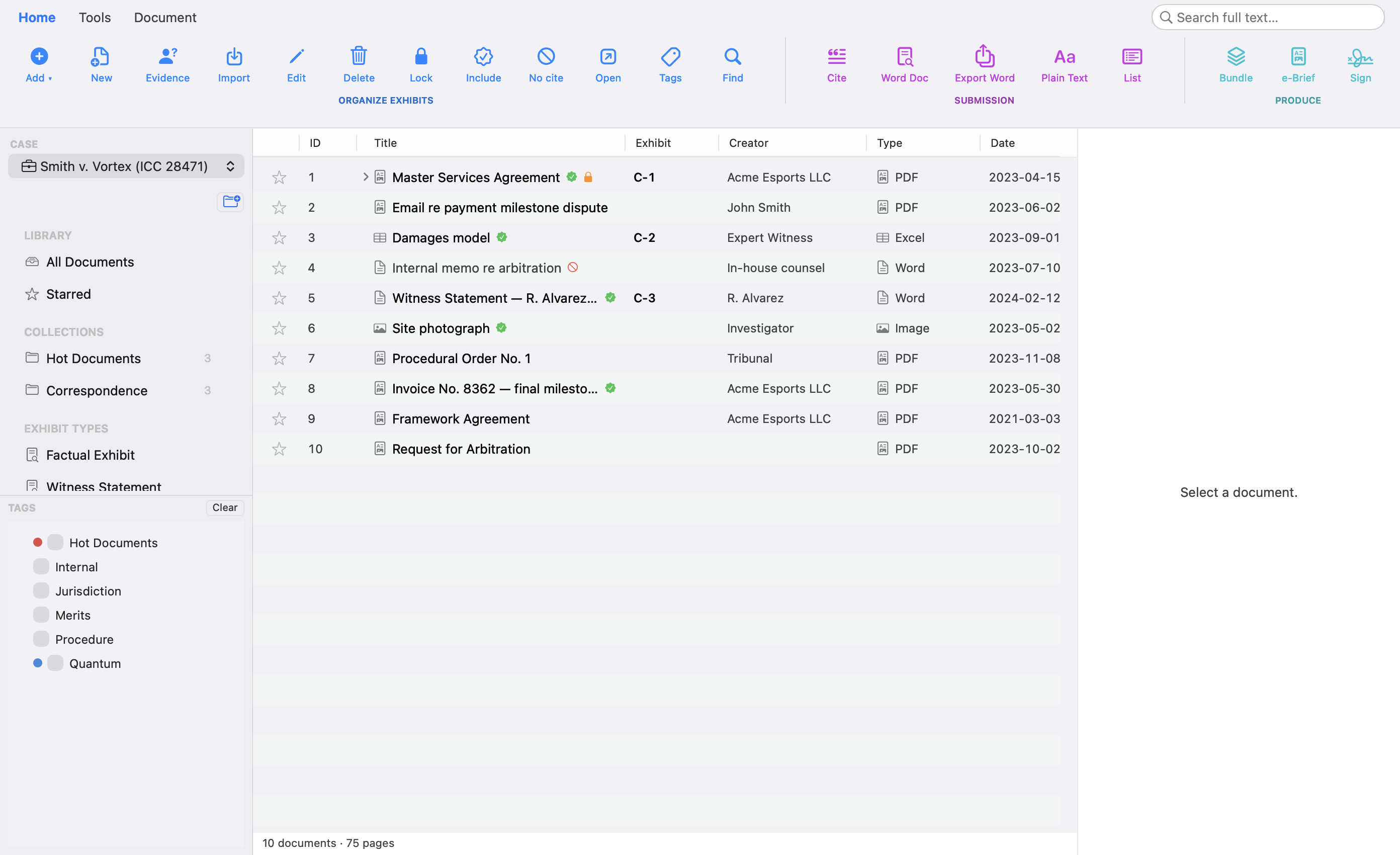

LitArbi — select an exhibit, then Cite.
Statement of Claim
Microsoft Word — citations stay in sync.
A LOOK INSIDE
See LitArbi in action.
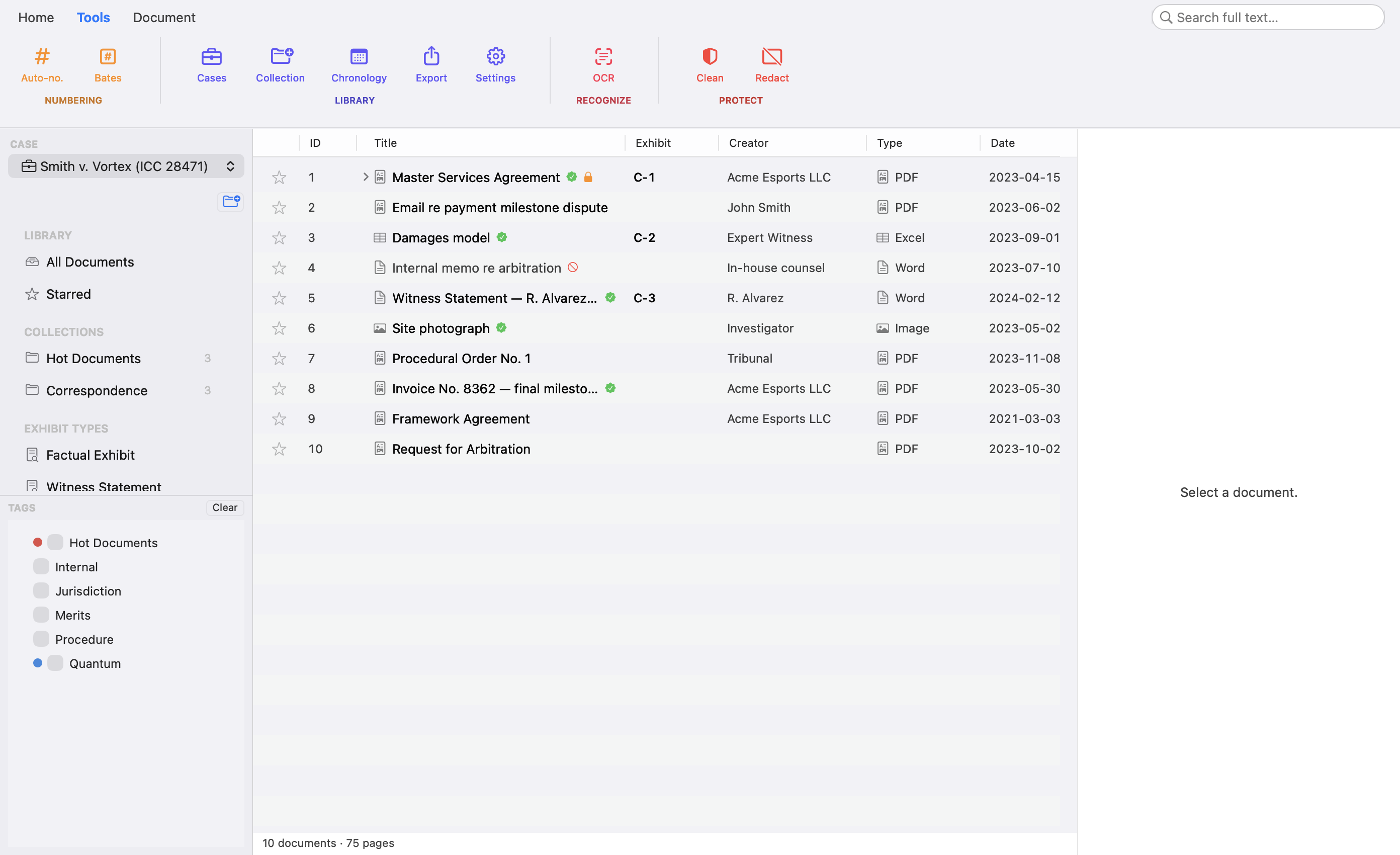
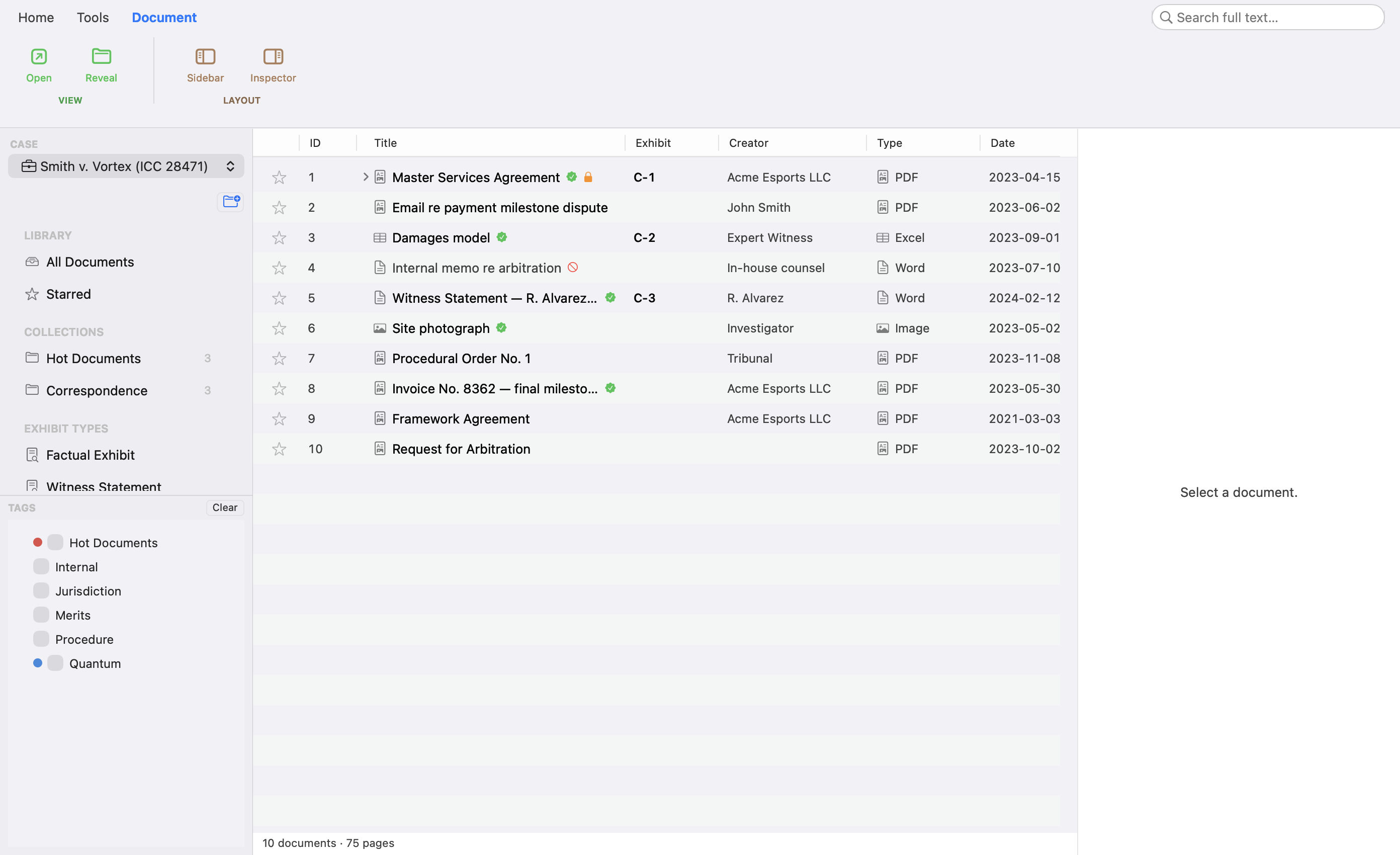
WORKFLOW
From discovery folder to filed brief, in four steps.
-
01
Import
Drag PDFs into a case. LitArbi reads metadata, OCRs scans, and groups by party.
-
02
Number
Apply exhibit prefixes (C-1, R-1, CLA-1…) and Bates stamps in one pass.
-
03
Cite
Insert live exhibit references into Word. Renumber anytime — your brief updates with you.
-
04
Deliver
Export tribunal-ready hearing bundles with covers, indexes, and consecutive pagination.
FAQ
Common questions.
When does the alpha start?
Which platforms are supported?
Does it work with Microsoft Word?
Where is my data stored?
How much will it cost?
Be among the first counsel to use LitArbi.
Alpha seats are limited. Reserve yours and we'll let you know the moment your invitation is ready.
Apply for alpha access