Do you still need an exhibit list template?
A template gives the list of exhibits its shape. Keeping it in step with the brief is the hard part — and that part LitArbi does for you.
What a template does — and what it cannot
A good template settles the columns and the form: number, date, description, perhaps pages and the submission an exhibit came with. Our exhibit list guide has one as a free Word download.
But a template is filled in by hand, and it does not know the brief. Every exhibit inserted earlier, every renumbering, every corrected date has to be carried over by hand — usually late at night, the day before filing. That is where the familiar mistakes come from:
- the brief was renumbered, the list was not;
- the list names an exhibit the brief no longer cites, or misses one it does;
- one document under two numbers;
- dates typed differently from one row to the next.
How LitArbi builds the list
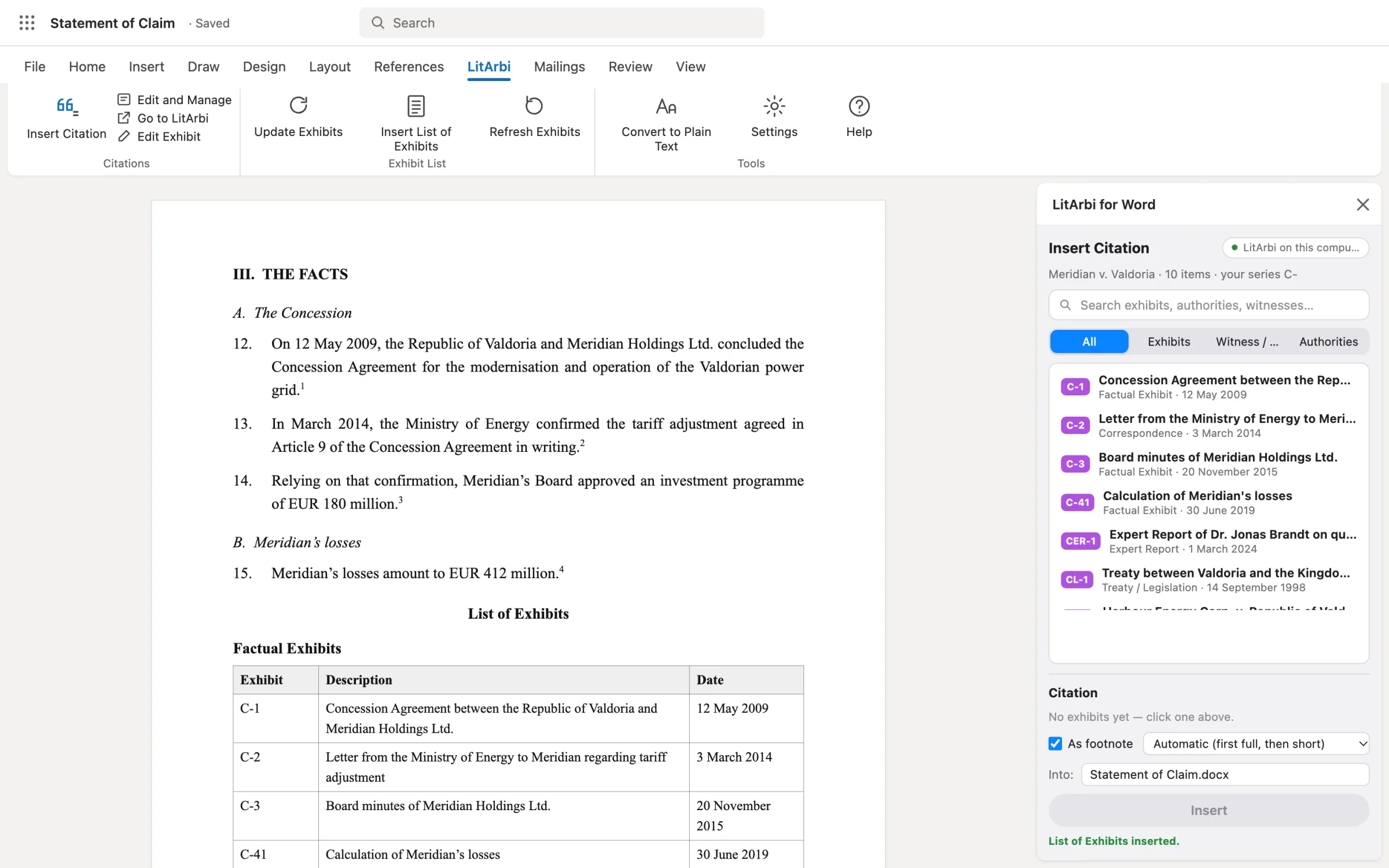
In LitArbi every exhibit is kept once, with its number, description and date — a date range where the document covers a period. You cite from the pane beside your draft. When the brief is ready, Submission ▸ List of Exhibits (or Insert List of Exhibits in the pane) puts the list where the cursor is:
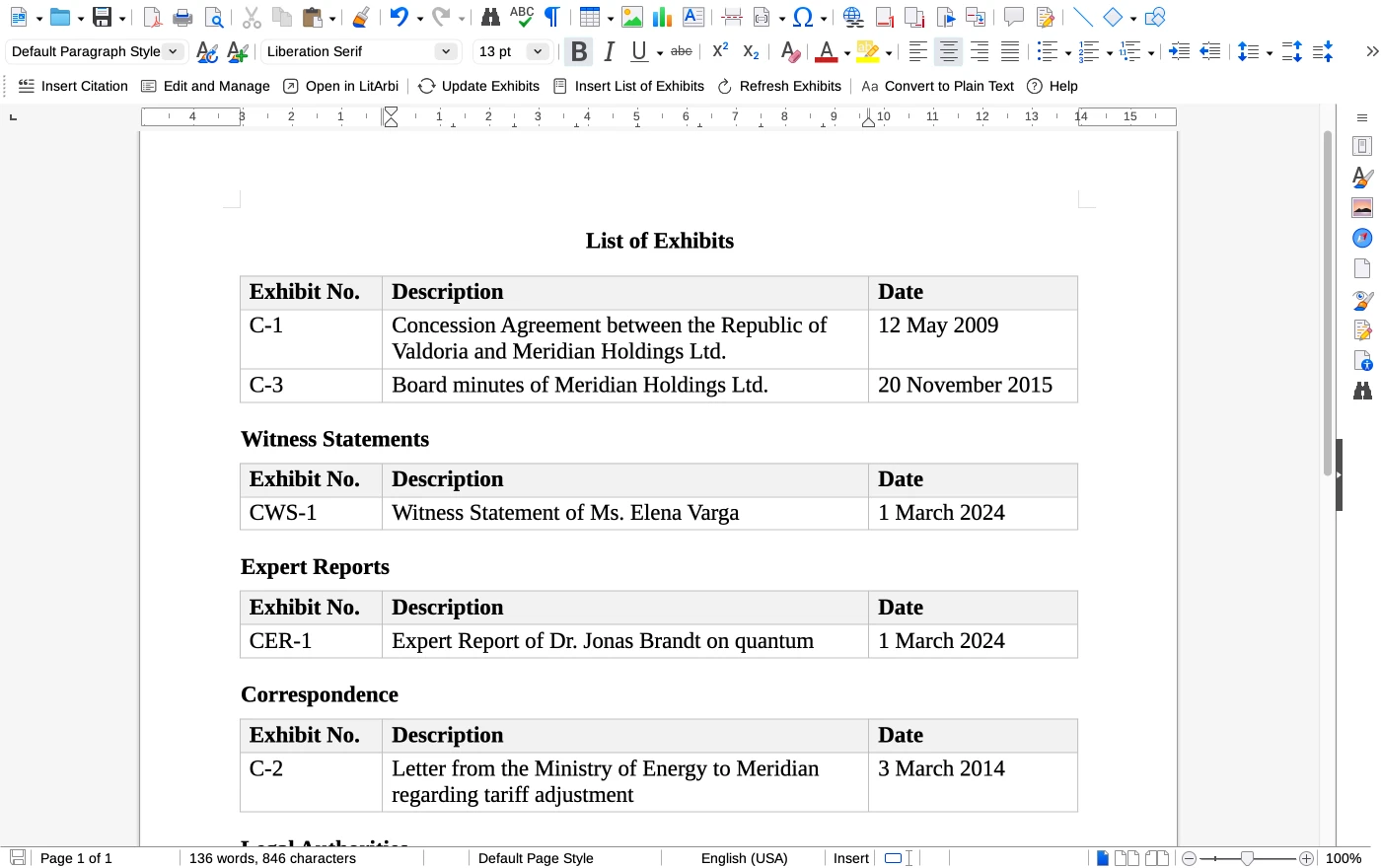
- a real table with Exhibit No., Description and Date — in German matters “Anlage-Nr.”, in Swiss ones “Beilage-Nr.”;
- every exhibit the brief cites, and only those;
- grouped by type — documentary exhibits first, then witness statements, expert reports and the other kinds, each under its own heading;
- sorted by appearance or by date, as you choose when you insert it;
- as a table with or without borders, or as a plain list if your firm prefers.
When the brief changes
- Update Exhibits from Brief
- Renumbers the exhibits in the order the brief now cites them, rewrites every citation and rebuilds the list in place — in one step, and it can be undone. Locked exhibits keep their numbers.
- Update List of Exhibits
- Rebuilds the list with the exhibits as they are now — after you corrected a date or a description — without renumbering anything.
The list and the citations come from the same records, so they cannot drift apart: the number in the footnote and the number in the list are the same number.
When a template is still the right tool
For a one-off filing, for a matter you are not running in LitArbi, or when a tribunal’s order asks for columns of its own — the pages of each exhibit, the submission it was first filed with — a template is the quick way. Take the free one from the exhibit list guide; the guide also explains each column and the cumulative and per-submission forms.